
Vending Machine Integrations & API Everything connected.
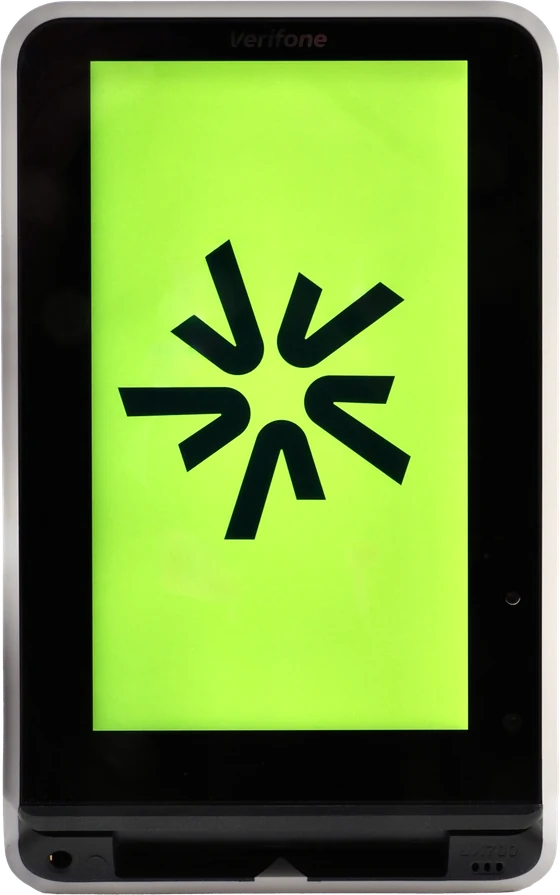
Control the terminal from your own software, ask your AI about your vending machines, connect it directly to your vending machine, or process payments from your own POS system. The SENVEND Payment Terminal and my.SENVEND integrate with the systems you already use.
Integrations
Four interfaces. One platform.
Whether you use your own software, an AI assistant, a vending machine or a POS system, choose the integration that fits your business or project. One click takes you straight to the details.
-
For developers
Your own software (gRPC API)
Your software starts payment, age verification and product dispensing right on the terminal. -
For operators
AI integration (MCP)
Ask your AI about sales, inventory and machine faults. Included with SENVEND Telemetry. -
For manufacturers & technicians
Vending machine (MDB)
The terminal communicates directly with your vending machine, with our MDB adapter if needed. Documentation is publicly available on GitHub. -
For POS systems & projects
POS (ZVT)
Your own POS system or payment station can process payments through the SENVEND Payment Terminal.
Software integration · gRPC API
Program your terminal.
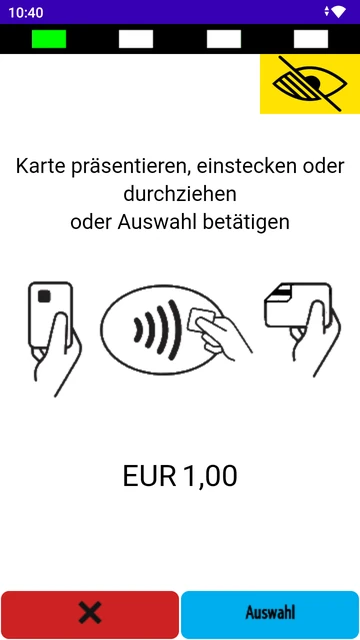
With the SENVEND API, your own software controls the Payment Terminal directly on your local network: start payments, verify age, dispense products via MDB. Sales show up in my.SENVEND as usual.
Payment trace with age verification
- Software · Start · +0.00 s
{"start": {"amount": 100, "age_verification": {"min_age": 18}}}Charge €1.00, but verify age 18+ first. - Terminal · Age verification · +0.05 s
ageApiSuccess: VERIFICATION_STARTEDCustomer chooses their proof of age. - Terminal · Age confirmed · +6.40 s
{"ageSuccess": {}}Age verified. - Terminal · Payment · +6.42 s
apiSuccess: PAYMENT_STARTEDCustomer presents their card. - Terminal · Approval · +9.10 s
{"approved": {"amount": 100}}Paid: €1.00. - Software · Goods issued · +11.30 s
{"goods_issued": {}}Product dispensed. - Terminal · Confirmation · +11.31 s
apiSuccess: GOODS_ISSUED_ACCEPTEDGot it. - Terminal · Completion · +11.35 s
{"success": {}}Process complete.
Simplified: process IDs are omitted, status messages are shortened, and the timings are illustrative.
-
Payments
Start a payment, adjust the amount until it’s approved, and report cash for your analytics.
-
Age Verification
On its own or before payment. Your customer chooses from all configured methods on the terminal.
-
Product dispensing
Your software dispenses products through the connected MDB vending machine, one at a time or as a list.
-
Soon
Cloud API
The same flows over the internet, without a local network. The definitions are already on GitHub.
AI integration · MCP
Just ask your machines.
Using MCP, the open standard for connecting AI assistants, you can connect an assistant such as Claude or ChatGPT to my.SENVEND. Sign in with your my.SENVEND account—no API key required.
- Read only
- Only your data
- Claude & Co.
- Access included
Example questions
- “Which machines are almost empty right now?”
- “Which products sell well at the train station but not at all on campus?”
More data. More possibilities.
Through the MCP integration, your AI can also query and combine data that isn’t directly available in the my.SENVEND interface. Your user permissions still apply.
Note
You’ll need your own account with an AI service such as Claude or ChatGPT. Depending on your plan, fees may apply.
View examples
Six use cases, each with a possible conversation with your AI:Vending machine integration · MDB
The standard in the machine.
Your vending machine uses MDB to communicate with payment devices such as coin changers, bill validators and card terminals. We document how the SENVEND Payment Terminal works with MDB on GitHub—for vending machine manufacturers and integrators.
Vending transaction trace
- Machine · Vend Request · +0.00 s
13 00 00 64 00 01Slot 1 selected, €1.00. Requesting payment. - Terminal · ACK · +0.01 s
00Got it. - Terminal · Vend Approved · +2.41 s
05 00 64Payment approved. Dispense the product. - Machine · ACK · +2.41 s
00OK. - Machine · Vend Success · +4.02 s
13 02 00 01Product dispensed. - Terminal · ACK · +4.02 s
00Got it. - Machine · Session Complete · +4.20 s
13 04Session ended. - Terminal · ACK · +4.20 s
00All set.
Simplified: polling (POLL) and checksums are omitted. Timings are illustrative.
-
Card payment (cashless)
How the terminal operates as a cashless payment device in a vending machine.
-
Age Verification
How age verification and the vending machine interact via MDB.
-
Age Verification Device
How the terminal connects as a separate Age Verification Device on the MDB bus.
MDB adapter · Hardware
One adapter. All connected.
The SENVEND MDB adapter connects the terminal, vending machine and cash-handling devices. It ensures reliable communication and enables integration even where it was difficult before.
- 1USB cable from the terminal to the adapter
- 2Power cable from the terminal to the adapter
- 3Vending machine on the right MDB port
- 4Cash-handling devices on the left MDB port
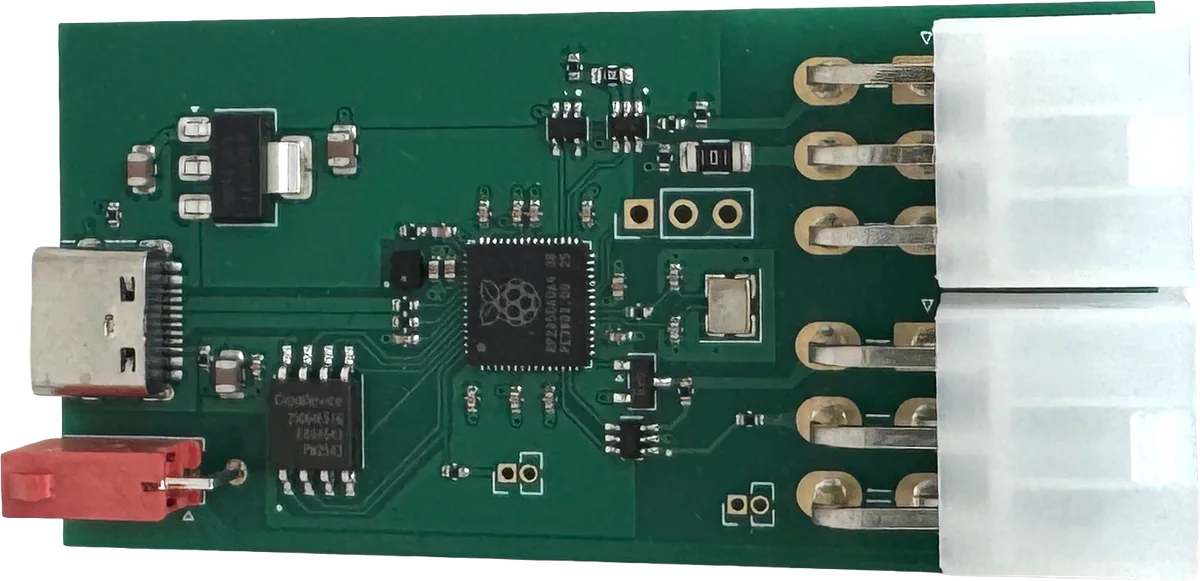
- AUSB-C: data to the terminal
- BPower from the terminal (2-pin)
- CRP2350: Raspberry Pi microcontroller
- DMDB sockets: vending machine and cash-handling devices
The device itself: MDB adapter in the hardware overview
-
Stable connection
Card payments and age verification work more reliably with the vending machine, even with machines that otherwise cause problems.
-
Cash payments keep working
Coin changers and bill validators connect to the adapter and continue working as before.
-
No separate power supply
Power comes from the terminal’s MDB port, and data is transferred via USB-C. The adapter cables are included; you’ll only need a USB-A to USB-C cable.
Master Telemetry
Master Telemetry will also be available through the adapter soon.
POS integration · ZVT
Your POS. Our terminal.
Do you have your own POS system or payment station? Using ZVT, the German standard for payment terminal connections, it can process card payments through the SENVEND Payment Terminal. Our ZVT proxy handles the connection.
Card payment trace
- POS · Authorization · +0.00 s
06 01 07 04 00 00 00 00 01 00Please charge €1.00. - Terminal · ACK · +0.02 s
80 00 00Got it. - Terminal · Intermediate status · +1.84 s
04 FF 01 0ACustomer presents their card. - POS · ACK · +1.85 s
80 00 00OK. - Terminal · Status information · +3.91 s
04 0F …Payment complete. Here are the receipt details. - POS · ACK · +3.92 s
80 00 00Received. - Terminal · Completion · +4.11 s
06 0F 00Done. - POS · ACK · +4.11 s
80 00 00All set.
Simplified: the intermediary ZVT proxy is omitted, and the timings are illustrative.
-
ZVT proxy
Your POS system connects to SENVEND over TCP (port 20000), not directly to the terminal.
-
Forwarded requests
The proxy forwards payment, refund, diagnostic and abort requests. SENVEND handles age-verification and language requests directly.
-
Set up together
SENVEND assigns the terminal ID. Contact us at api@senvend.com, and we’ll set up the integration with you.
FAQ
Integrations in a nutshell.
What can the API do?
Your software starts payments, age verifications and product dispensing via MDB over your local network, directly on the SENVEND Payment Terminal. Sales show up in my.SENVEND as usual. A cloud API for access over the internet is coming.
What does the AI integration cost?
Nothing extra. The AI integration (MCP) is included in SENVEND Telemetry . You’ll need your own account with an AI service such as Claude or ChatGPT. Depending on your plan, fees may apply.
Do I need programming skills?
Not for AI integration: enter the URL, sign in with your my.SENVEND account, and you’re done. The API is aimed at developers. For ZVT and MDB connections, we work with your POS or vending machine technician to set everything up.
Can the AI change anything on my machines?
No. AI integration is read-only. You can still only restart terminals, dispense products or add credit directly in my.SENVEND.
Which AI assistants are supported?
Any assistant that supports MCP. Step-by-step guides for Claude and ChatGPT are available in the AI integration Help Center.
What happens to my data?
You can access only your company’s data, with the same permissions as in my.SENVEND. Your AI provider, such as Anthropic or OpenAI, processes your questions and the resulting answers under its own privacy policy. You decide what to ask.
Do I need the MDB adapter?
Not always. With many vending machines, the terminal connects directly via MDB. With others, the adapter improves reliability—or makes the connection possible in the first place. Your reseller can advise whether you need one.
What do the POS and MDB integrations cost?
That depends on your project. Write to us at api@senvend.com, and we’ll send you a quote.
Ready to connect?
Planning an integration?
Tell us about your project and we’ll find the right approach with you.