Connect terminal to Wi-Fi
Here we explain and show you exactly how to connect your terminal to the Wi-Fi.
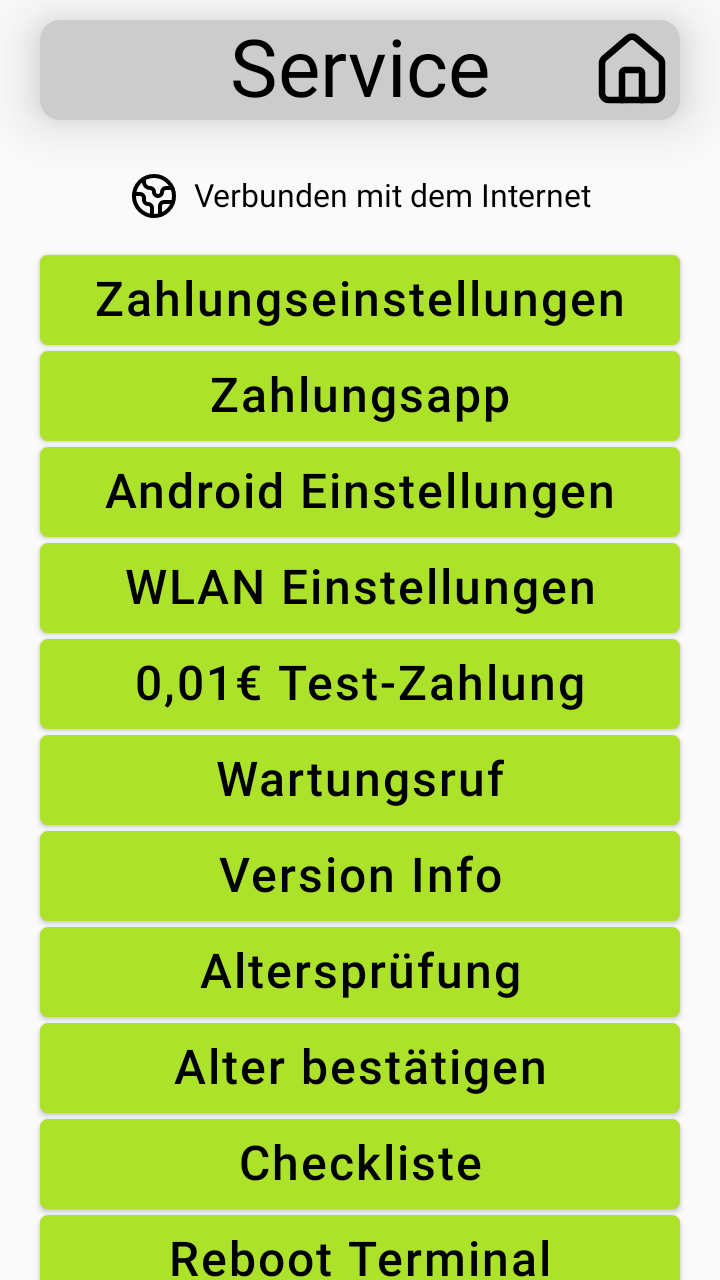
There are two ways to access the service page on your terminal
About my.SENVEND
Through my.SENEVND, you can open the service page.
Machines -> Select Machine -> Terminal -> Control -> Display Service Screen
The service page of the terminal appears on the screen of your terminal!
This option is only available with an active internet connection.
About the Terminal
On the back of your terminal
Open the service flap on the back of your terminal (where the white sticker is located (S/N)
There is a small plastic pin on the retention band that you need to briefly and once insert into the hole underneath.
The service page on the terminal is opening.
Tap on the terminal the option Wi-Fi settings.
Turn on the Wi-Fi if necessary and connect your terminal to the Wi-Fi.
Make sure that no network plug or USB modem is connected to the terminal, as the terminal will not connect otherwise.
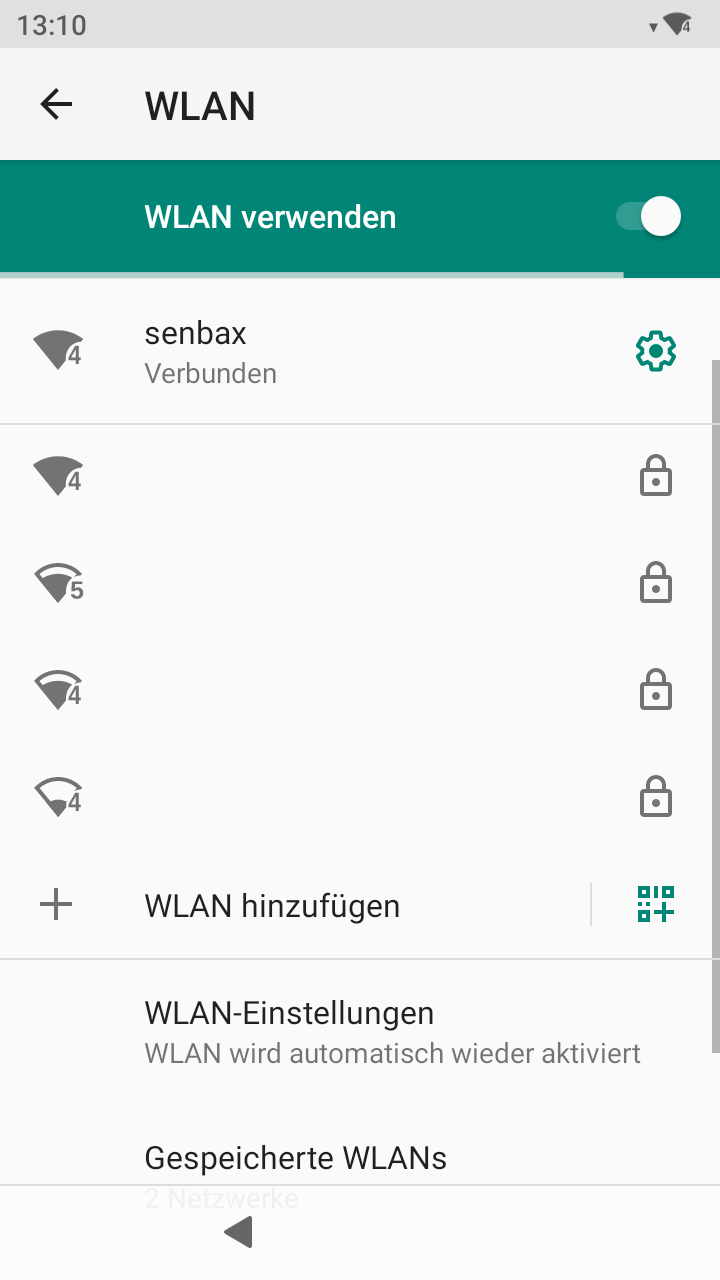
Feel free to check out our YouTube video: