
Which Vendon box version do I have?
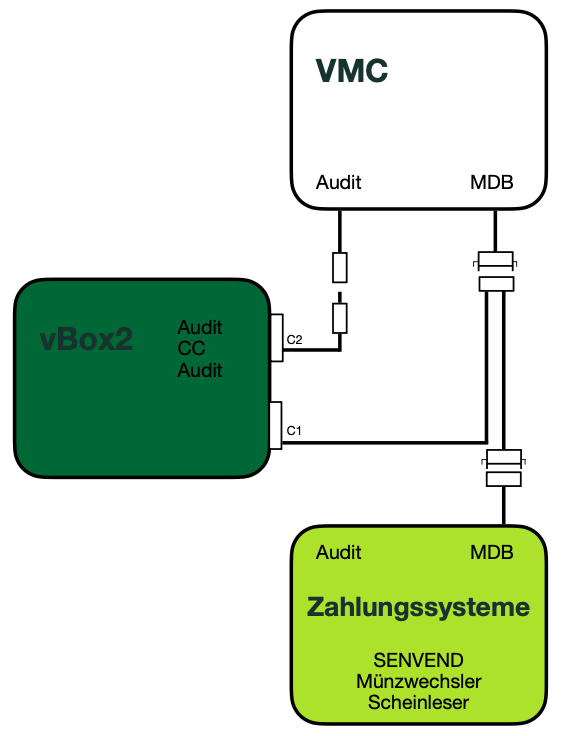
The Vendon box is easily recognized by the MDB connection cable:
-
Vendon Master:
Two MDB cables are plugged into the connector at the C1 connection, which is inserted into the Vendon box. The box is actively positioned between the machine and the payment systems and manages the data traffic. -
Vendon Slave:
Only one MDB cable is plugged into the C1 connection on the plug that goes into the Vendon box. Die Box liest lediglich mit und greift nicht in die Automatensteuerung ein.
This allows you to quickly determine whether your Vendon installation is running in master or slave mode.
Vendon SLAVE mode
SENVEND does not communicate with the Vendon Box, but exclusively directly with the vending machine.
You can identify your version by the MDB connection cable. The MDB Slave cable has only one wire at the Vendon side connector..
In order for the telemetry and the terminal to function correctly, it is important that all machine settings have been properly configured.
Make sure that the appropriate device settings are activated in your machine.
Settings in my.senvend
- MDB Dedicated device must be set to "Off"
For this setting, select the in my.senvend.
Then click on the menu item and open the menu
  .
.
Check if the setting is configured as follows.
- Cash payment possible must be set to "On"
For this setting, select the in my.senvend.
Then click on the menu item and open the menu  .
.
Check if the setting is configured as follows.
Vendon MASTER mode
SENVEND only communicates with the Vendon Box (or Vendon dictates everything) and no longer directly with the vending machine.
Age verification must be completely disabled at the machine, as Vendon takes over the verification.
For the MASTER mode, specific technical settings must be configured in the Vendon Box. You can identify your version by the MDB connection cable.
The MDB Master cable has two wires at the Vendon side of the connector.
Diese Einstellungen sind für Endkunden oft nicht sichtbar und nicht selbst einstellbar.
Please contact your specialist retailer or the following for activation:Vendon Deutschland – ENGELTEC GmbH & Co. KG, Sachsenheim
There may be chargeable service work from Vendon / Engeltec.
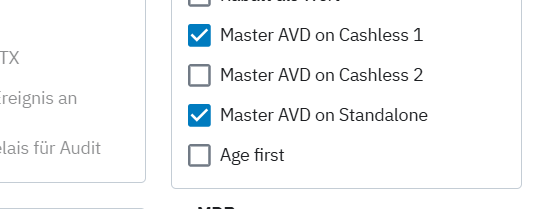
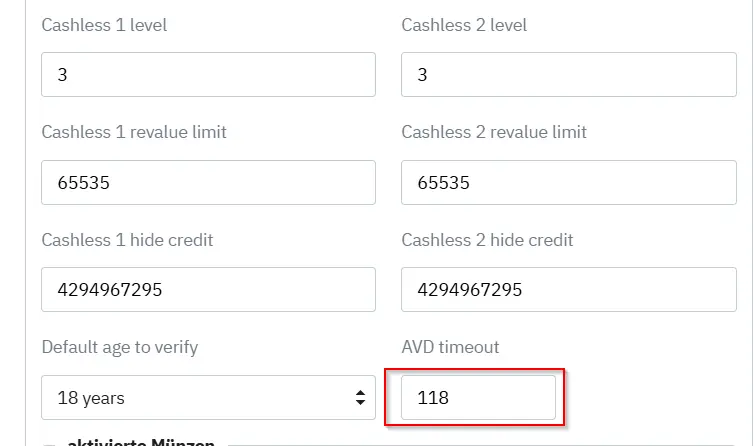
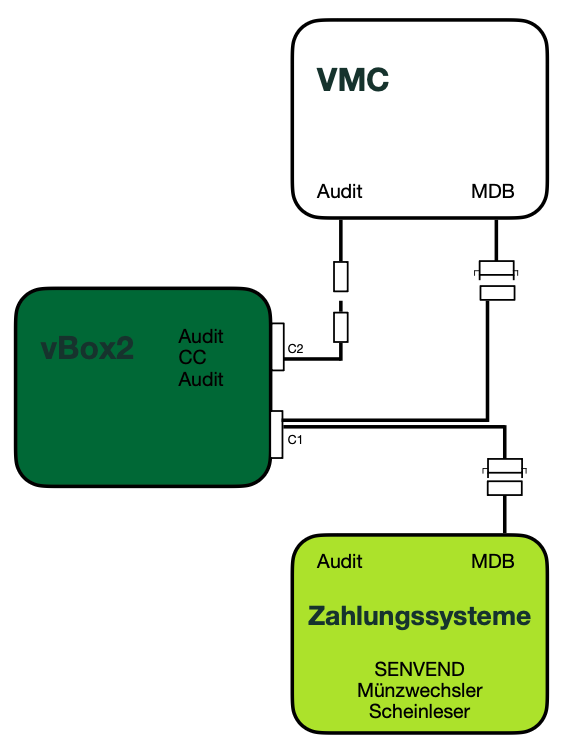
Parallel operation for age verification via SENVEND and DCM5.
Prerequisite:
- SENVEND and DCM5 must both be connected to the master of vBox2
Settings in my.senvend
- MDB Dedicated device must be set to "Off"
For this setting, select the in my.senvend.
Then click on the menu item and open the menu .
Check if the setting is configured as follows.
- Cash payment possible must be set to "On"
For this setting, select the in my.senvend.
Then click on the menu item and open the menu .
Check if the setting is configured as follows.