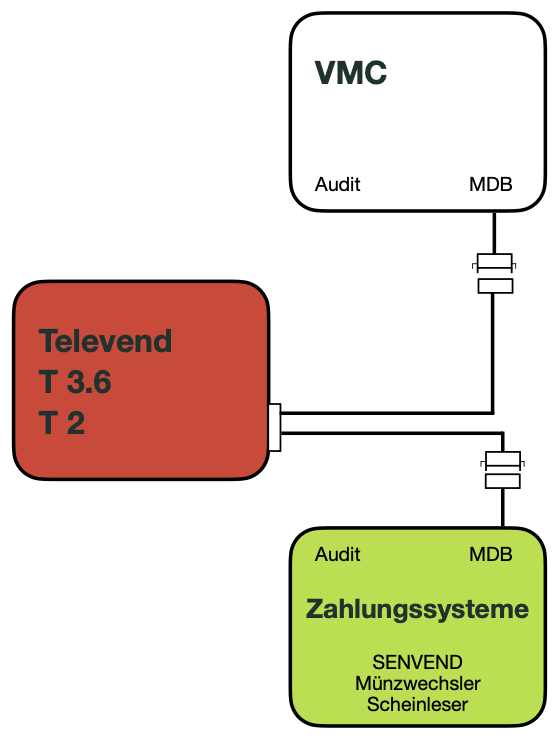
Televend MASTER mode
SENVEND only communicates with the Televend Box (or Televend dictates everything) and no longer with the vending machine.
Age verification must be completely disabled on the vending machine, as Televend handles the verification.
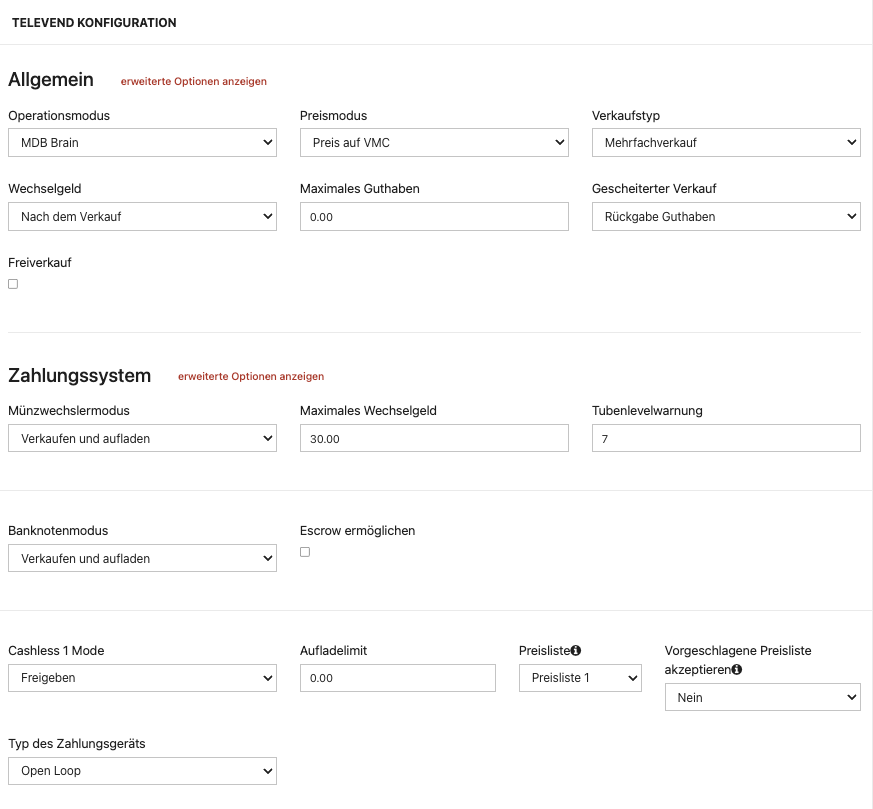
For the MASTER mode, specific technical settings must be configured in the Televend Box.
The special settings are often not visible to end customers and cannot be adjusted by themselves.
Please contact your specialist retail partner for activation.
There may be chargeable service work involved.
Televend Settings for SENVEND
For age verification, at least version 1.16.12jf297 must be installed.
Settings in the Televend Cloud

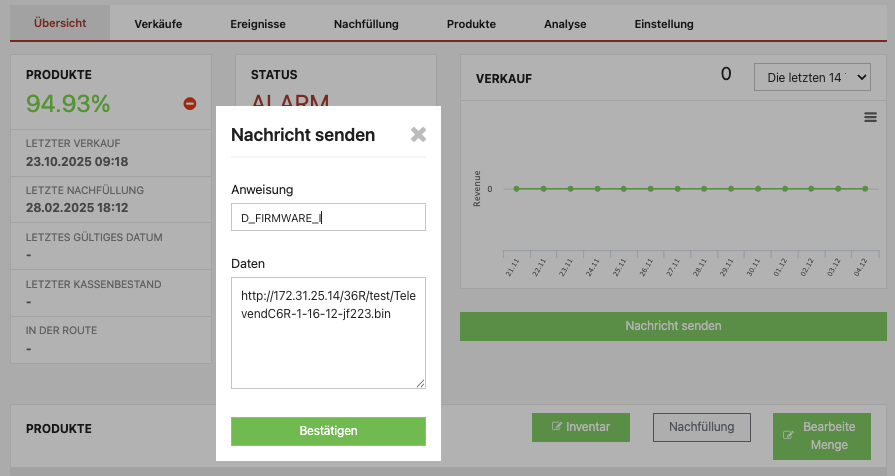
Software Update Televend Box
- Open your machine in the Televend Cloud
- Go to Overview
- Go to the Send Message button
- Enter the following:
Instruction: D_FIRMWARE_I
Data: (T36R Hardware) http://172.31.25.14/36R/test/TelevendC6R-1-16-12-jf297.bin
Data: (T36 Hardware) http://172.31.25.14/36/test/TelevendC6-1-16-12-jf297.binThe download is possible via the internal Televend VPN for devices with an active SIM connection.
- Send the message with a click on Confirm
- Your Televend Box starts blinking blue/orange and is installing the new firmware
- Your Televend Box will restart afterwards